
A favorite photo can become several different craft projects. If you want to make it with fuse beads, Beadify's image-to-pattern workflow helps you plan a bead grid. If you want to stitch it with embroidery thread, Crosy gives you a cross-stitch chart you can edit, print and follow on screen.
Disclosure: Beadify and Crosy share the same owner. This introduction uses our own product demonstration to help you choose a tool for your project.
Choose the tool for the material
For fuse beads, you need bead colors, a grid and a plan for making the Pattern. Stay with Beadify for that workflow.
For cross-stitch, you need a stitch grid, thread colors and a chart that helps you find the next stitch. Crosy is a browser-based workspace for turning a photo into that kind of project. You can adjust the crop, stitch count and thread colors, edit individual stitches and add backstitch.
These are different material choices. A cross-stitch chart does not replace a fuse-bead Pattern, and a bead palette does not tell you which thread to buy.
Start with a photo, then inspect the chart
This example follows one ginger-cat photo throughout: 64 × 80 stitches and 24 DMC colors. The smaller grid simplifies the photograph. Look at the face, outlines and background before deciding whether the draft has enough detail for the project you want to make.
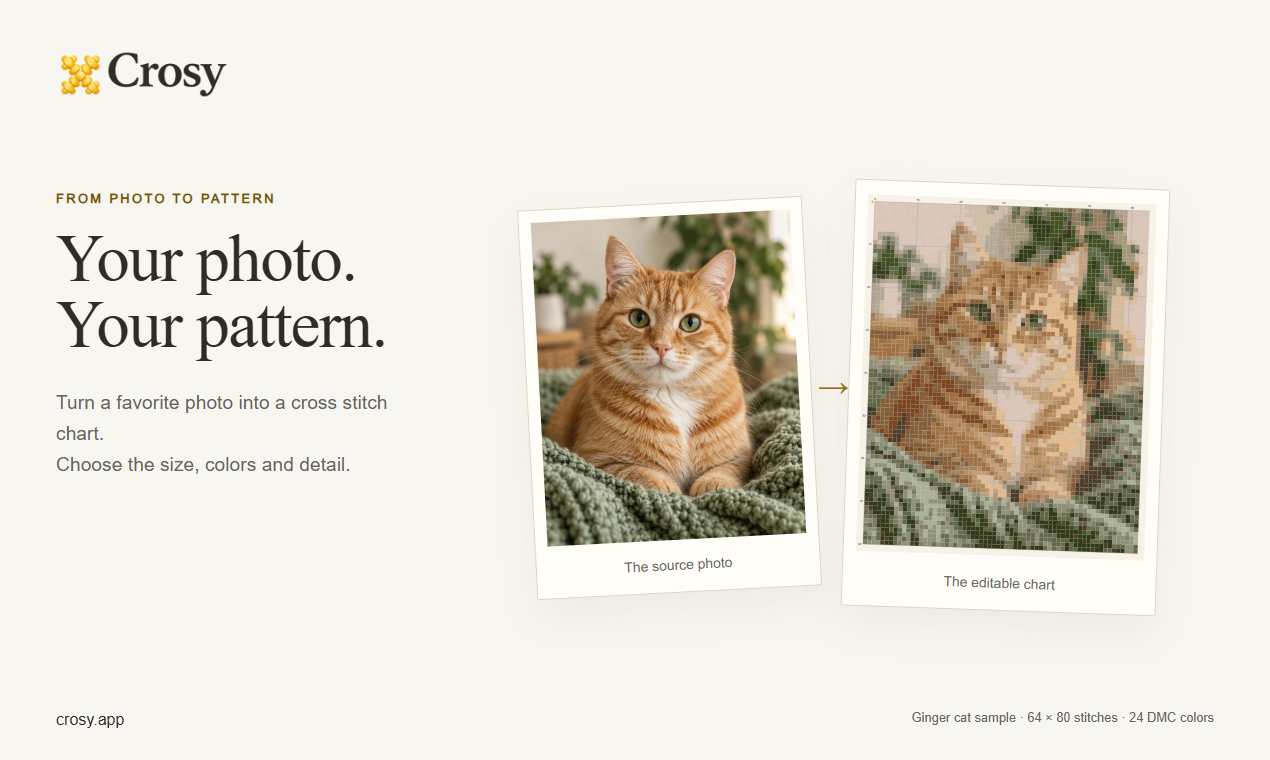
One photo and its editable chart. The chart is a digital preview, not a photograph of a stitched result.
View the photo and chart at full size.
Try the preview before committing to a larger project. Changing the crop, grid size or number of thread colors can change which details remain readable. You can then refine the chart directly in the editor.
Edit the chart and follow progress
Crosy keeps chart editing and progress tracking in the same workbench. Refine individual stitches and thread colors while preparing the chart. When you start making, use the digital progress controls to mark completed stitches and find your place again.
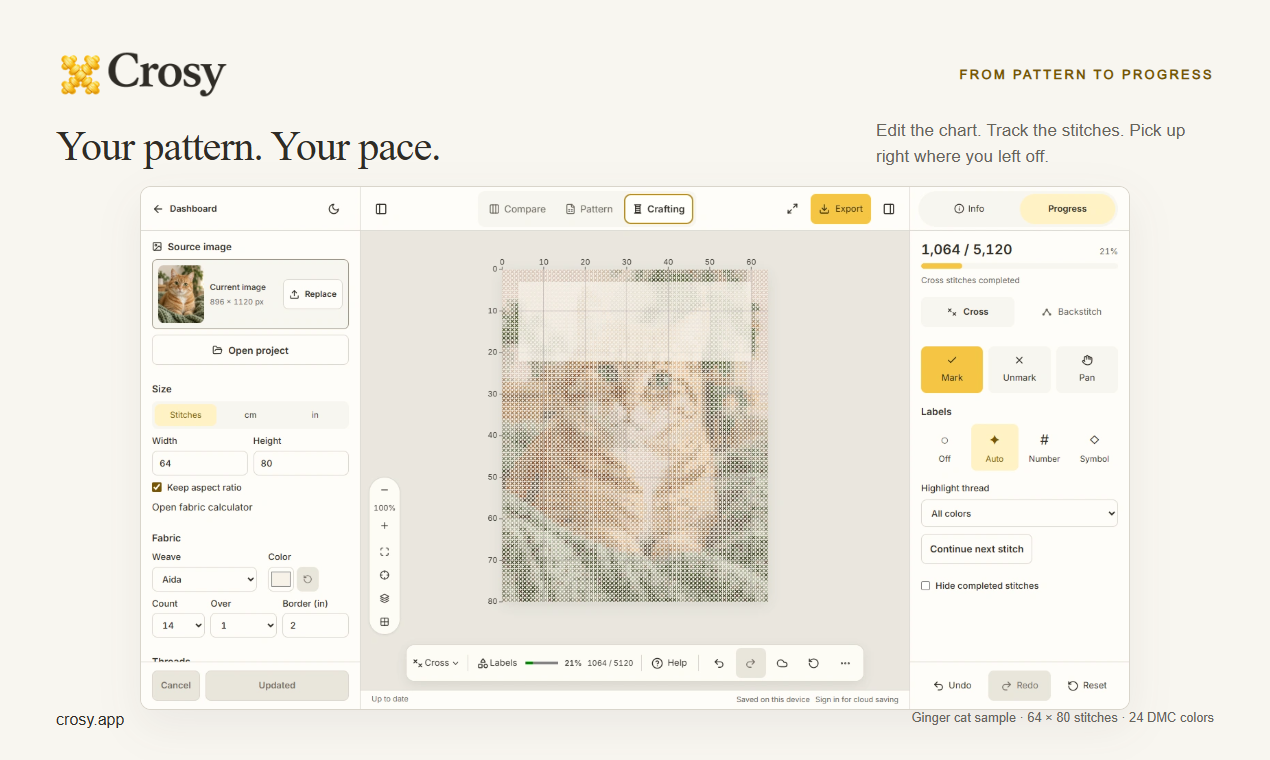
The example shows 1,064 of 5,120 stitches marked complete, displayed as 21%. This is a digital demonstration of the controls, not physical stitching progress.
View the workbench at full size.
Projects save on your device. Signed-in accounts can enable cloud sync within their plan's limits. Keep a project backup when you need a separate file you can reopen in Crosy.
Use a printed chart or keep the project digital
A chart overview helps you see the whole design. Chart detail pages let you read the stitches, while the thread key connects each symbol to its thread color. Crosy can export printable PDFs, image files such as PNG, SVG and a Crosy project backup.
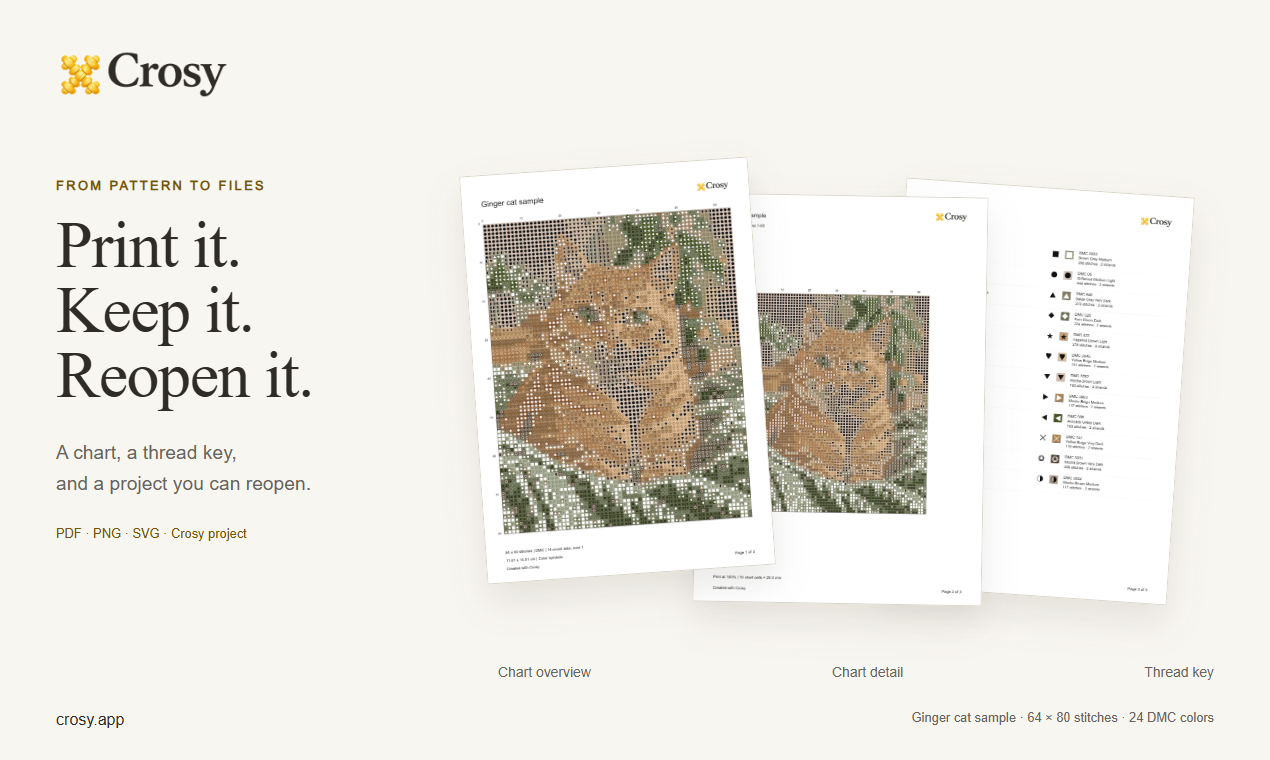
These pages come from Crosy's exporters for the same 64 × 80 stitch, 24-color example. They show digital output; physical printing and stitching are not demonstrated here.
View the exported pages at full size.
Check the thread identifiers and your materials before starting. Screen colors are a useful preview, but they are not a guarantee of how thread and fabric will look together.
Try the preview before choosing downloads
Preview and editing are free. Complete downloads require a pattern unlock. Crosy uses credits for unlocks; paid checkout is currently unavailable. Check the current access details in Crosy before relying on a download for your project.
If your next project is cross-stitch, open Crosy and try your photo. If you are making with fuse beads, start a Beadify Pattern instead.